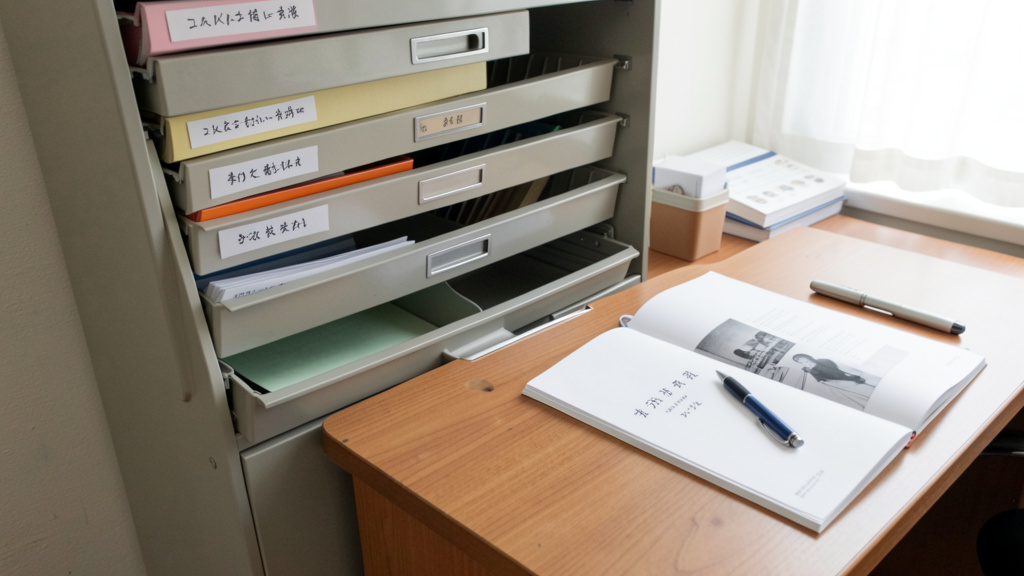
Stop the frantic drawer-diving during a crisis. Build a reliable organization system that saves time, reduces stress, and helps ensure you can access warranty information when needed.
Imagine your refrigerator stops cooling on a sweltering July afternoon. Instead of tearing through junk drawers, basement shelves, and forgotten file cabinets in a panic, you calmly open your digital archive on your phone. Within moments, you locate the warranty details, service contact information, and the exact model number required for the repair technician. No stress. No unnecessary delays. This isn’t a fantasy reserved for ultra-organized individuals—it’s the tangible outcome of implementing a deliberate, resilient system for managing your home’s critical documentation. This guide transforms warranty and manual organization from a neglected chore into a strategic pillar of thoughtful home management, providing adaptable frameworks for every lifestyle, living space, and technical comfort level.
Introduction: Why Fragmentation Happens—and How to Create Cohesion
Walk into many homes, and you’ll likely find a familiar pattern: a crumpled receipt tucked inside a blender box stored in the garage, a refrigerator manual buried under last year’s tax files, a warranty card for the HVAC system lost between moving boxes. This isn’t a reflection of personal disorganization—it’s a natural outcome of how documentation accumulates without an intentional intake process. Many homeowners experience difficulty locating critical paperwork when urgency strikes. The consequences extend beyond momentary frustration: missed warranty opportunities may lead to unexpected repair costs, while attempting troubleshooting without proper guidance can sometimes complicate issues. The emotional weight—stress during emergencies, complications when preparing a home for sale, or friction between household members—further underscores why a cohesive system matters.
This challenge persists not due to lack of effort, but because common advice often lacks integration. Suggestions to “just use an app” overlook paper documents from older purchases. Visually appealing binder systems showcased online may not sustain real-world volume. Manufacturer websites can make finding replacement manuals time-consuming. What’s needed is a holistic, human-centered framework that acknowledges the full lifecycle of home documentation—from unboxing a new coffee maker to preparing your home for its next chapter. Drawing on observed patterns across homeowner communities, organizational methodology, and consumer resource guidelines, this guide delivers a unified system designed for resilience, accessibility, and lasting peace of mind. We move beyond isolated tips to establish a sustainable practice that integrates smoothly into your existing home rhythms.
The Triad Framework: Capture, Organize, Retrieve
Forget rigid color-coding or expensive proprietary tools. Sustainable organization hinges on mastering three universal phases that work sequentially: Capture (gathering documents reliably at the source), Organize (structuring them intuitively), and Retrieve (accessing them efficiently when stress is high). This framework adapts archival principles used in property management to single-family practicality, creating redundancy without rigidity. Each phase includes deliberate checkpoints to prevent common failure points. When implemented consistently, the system operates quietly in the background—then delivers reliably at the precise moment you need it.
Phase 1: The Capture Protocol – Building a Reliable Intake Habit
Capture forms the foundation. If documents aren’t gathered consistently at the source, even the most elegant organizational structure later will struggle. This phase focuses on the critical window: the first few days after acquiring a new item or receiving service documentation.
Step 1: Establish Your Capture Station
Designate one consistent physical location near your primary entry point or home office—a labeled tray, a section of an accordion file, or a dedicated drawer. This becomes the only place new manuals, warranty cards, receipts, and service tags go immediately after purchase or delivery. Why this works: It eliminates decision fatigue. No more “Where should I put this?” moments. The station acts as a temporary holding zone before processing. Common pitfall: Using multiple “temporary” spots (kitchen counter, car console, bedside table). This fragments the process. Solution: Place a small, clearly labeled container—“HOME DOCS INBOX”—where mail is sorted. Gently encourage all household members: Everything documentation-related goes here.
Step 2: The Consistent Processing Ritual
Schedule a brief, recurring session (e.g., 15 minutes every Sunday evening) to process the Capture Station. For each item:
– Digitize physical documents: Use your smartphone camera. Ensure good lighting, a flat surface, and all edges visible. Save immediately to your chosen digital system (detailed in Phase 2). Tip: Use your phone’s built-in document scan feature (available in iOS Notes or Android Google Drive) for automatic edge detection and PDF conversion.
– Verify completeness: Does the scan clearly show the model number, serial number, purchase date, and warranty end date? If not, reshoot promptly.
– Dispose of physical duplicates thoughtfully: Once verified digital copies exist, recycle paper receipts (unless required for tax purposes beyond standard warranty claims) and redundant brochures. Retain only original signed contracts, notarized documents, or items legally required in physical form per your local regulations.
– Log essential metadata: In your digital system, note: Item Name, Brand, Model #, Serial #, Purchase Date, Warranty End Date, Retailer, Service Provider Contact. This metadata becomes your search foundation.
Illustrative Scenario: Someone purchases a new washing machine. They place the manual, warranty booklet, and receipt in the Capture Station. During their weekly ritual, they scan all documents. While reviewing the scan, they notice the warranty requires online registration within 30 days for extended coverage. They complete registration immediately using the QR code—preventing a potential future complication. They recycle the paper receipt (digital copy saved) but retain the physical warranty certificate since the manufacturer specifies it must be presented for service. This single ritual transforms potential friction into proactive care.
Step 3: Proactive Digital Gathering
Don’t wait for physical documents. For every new purchase:
– Visit the manufacturer’s support website promptly. Search by model number. Download the official PDF manual, warranty terms, and any setup guides. Save these alongside your scanned documents. Why? Manufacturer sites often host updated manuals with corrected information or additional troubleshooting steps not included in printed versions. Physical booklets can fade, tear, or use low-quality paper. Digital originals remain clear and accessible.
– Save registration confirmations: Screenshot warranty registration confirmations. Store these in the item’s folder. This creates clear evidence of registration if questions arise later.
– Preserve service details digitally: After HVAC maintenance, photograph the technician’s business card and service report. Save contact information directly to your phone’s contacts with a descriptive label like “ABC HVAC – Service.”
The Guiding Principle: Capture is not about accumulating paper—it’s about intentionally converting scattered information into durable, centralized digital assets with verified metadata. The goal is to make the original physical document expendable (where legally permissible) while preserving its essential information permanently.
Phase 2: The Organize Architecture – Structure Designed for Real-World Use
Organization without retrieval logic is decoration. Your system must answer one question instantly during demanding moments: “Where is the information for [specific item] right now?” This phase builds intuitive structures that work whether you prefer digital tools, physical binders, or a blended approach. All methods use consistent naming conventions and metadata principles to ensure reliability.
Method A: The Digital-First Cloud Vault (Ideal for Tech-Comfortable Households)
This method leverages widely available cloud storage (Google Drive, Dropbox, iCloud) for universal access and protection against physical loss.
Folder Structure Template:
🏠 HOME DOCUMENTS (Root Folder)
├── 📁 00 MASTER INDEX (Critical!)
├── 📁 APPLIANCES
│   ├── 📁 Refrigerator - [Brand]_[Model#]
│   │   ├── Manual_[Brand]_[Model#].pdf
│   │   ├── Warranty_Certificate.pdf
│   │   ├── Receipt_[Date].jpg
│   │   ├── Service_History.txt
│   │   └── Registration_Confirmation.jpg
│   ├── 📁 Dishwasher - [Brand]_[Model#]
│   └── ... (all appliances)
├── 📁 HVAC & PLUMBING
│   ├── 📁 Furnace - [Brand]_[Model#]
│   └── 📁 Water Heater - [Brand]_[Model#]
├── 📁 ELECTRONICS
│   ├── 📁 TV - [Brand]_[Model#]
│   └── 📁 Router - [Brand]_[Model#]
├── 📁 FURNITURE & FIXTURES
│   ├── 📁 Sofa - [Brand]_[PurchaseDate]
│   └── 📁 Custom Cabinets - [Contractor]_[Date]
├── 📁 HOME SYSTEMS
│   ├── 📁 Security System - [Company]
│   └── 📁 Solar Panels - [Installer]
├── 📁 SERVICE PROVIDERS (Contacts)
│   ├── HVAC_Contacts.pdf
│   ├── Plumber_Contacts.pdf
│   └── Electrician_Contacts.pdf
└── 📁 WARRANTY EXPIRATION TRACKER (Spreadsheet)
Why This Structure Works:
– Logical Grouping: Categories follow intuitive home layout (APPLIANCES before HVAC). Within categories, folders sort alphabetically by item name (“Refrigerator,” not “Samsung”) for faster scanning.
– Consistent Naming: [Item] - [Brand]_[Model#] eliminates guesswork. Model numbers are unique identifiers—far more reliable than descriptive names like “that blue blender.” Critical practice: Include model/serial numbers in filenames. Searching “refrigerator manual” yields noise; searching “RF28K9380SG” is precise.
– The MASTER INDEX Folder: Contains a single, living document (Google Doc or PDF) listing every item with direct hyperlinks to its folder. Example:
REFRIGERATOR | Samsung RF28K9380SG | Warranty Ends: 08/15/2027 | [LINK]

  DISHWASHER | Bosch SHPM88Z75N | Warranty Ends: 11/03/2026 | [LINK]

  WATER HEATER | Rheem RTE-13 | Warranty Ends: 02/21/2028 | [LINK]
Update this index during your weekly Capture Ritual. It becomes your emergency dashboard—open one file, click one link, access what you need.
– WARRANTY EXPIRATION TRACKER: A simple spreadsheet with columns: Item, Brand, Model#, Purchase Date, Warranty Length, Expiration Date, Status (Active/Expired), Notes. Sort by “Expiration Date” ascending. Review periodically. Consider setting calendar reminders before major expirations (HVAC, roof) to explore preventative maintenance or replacement planning.
Common Digital Challenge & Adjustment: “I have folders but can’t find anything!” → Often caused by inconsistent naming. Solution: Apply the [Item] - [Brand]_[Model#] convention consistently. Start with high-priority items (appliances, HVAC) during a focused session. The initial effort prevents recurring frustration.
Method B: The Physical Command Binder (Ideal for Low-Tech or Screen-Limited Households)
For those preferring tangible access or with limited internet reliability, a well-designed physical system provides immediate, screen-free retrieval.
Materials Needed:
– 3-inch D-ring binder (expands as needed)
– Clear sheet protectors (heavyweight)
– Tab dividers labeled: APPLIANCES, HVAC, ELECTRONICS, FURNITURE, SERVICE PROVIDERS, WARRANTY TRACKER
– Acid-free index cards or a small notebook for the MASTER INDEX
– Hole punch
– Label maker (recommended for durability)
Assembly Process:
1. Create the MASTER INDEX: First page of binder. List every item alphabetically by category. Include: Item, Location in Binder (Page #), Warranty End Date. Update with pen as new items are added. Example: “Refrigerator – p.5 – Exp: 8/15/27”.
2. Organize by Category Tabs: Behind each labeled tab divider, insert sheet protectors.
3. Insert Documents: Place the most critical page of each manual/warranty facing outward (e.g., warranty terms showing coverage dates, quick-start guide). Full manuals follow behind. For multi-page documents, use one sheet protector per document. Label the protector tab with item name and model number.
4. Warranty Tracker Insert: Print a simple table (Item, Purchase Date, Expiration Date) on cardstock. Place in a sheet protector behind the front cover. Note upcoming expirations monthly.
5. Service Provider Pocket: Use a clear adhesive pocket inside the back cover. Store business cards of trusted plumbers, electricians, etc. Add brief notes: “John – Fixed leak 5/22”.
Why This Works: During urgency, flip open the binder. Scan the MASTER INDEX for the page number. Turn directly to that page. Critical information is visible without removing pages. The physical act of turning pages can be grounding under pressure. Enhancement: Photograph the MASTER INDEX page. Save it to your phone’s home screen. Now you have instant digital access to the physical system’s roadmap—even if the binder is elsewhere.
Method C: The Hybrid Resilience System (Ideal for Maximum Flexibility)
Combines the immediacy of physical access with the durability of digital storage. Recommended for households with multiple decision-makers, high-value assets, or those in areas prone to environmental disruptions.
Implementation:
– Maintain the Digital Cloud Vault (Method A) as your primary, living system—the “source of truth.”
– Create a Physical Emergency Quick-Reference Guide: A single laminated sheet containing ONLY:
– Model and serial numbers of major systems (HVAC, water heater, electrical panel)
– Key service provider contacts (24/7 emergency plumber, electrician)
– Insurance policy number and claims phone number
– QR code linking to your digital MASTER INDEX
– Place this laminated sheet on the inside of your utility closet door or on the refrigerator. This is the document you access during true urgency (major leak, system failure).
– Store the full Physical Command Binder (Method B) in a secure location. The digital vault generally offers stronger protection against physical damage.
Illustrative Scenario: During a kitchen leak, a homeowner needs their plumber’s number and dishwasher model immediately. They grab the laminated sheet from the fridge—contact info and model number are visible. While waiting, they use their phone to scan the QR code, open the digital MASTER INDEX, pull up the dishwasher manual to show the technician the error code display, and confirm warranty status. The hybrid system delivered speed and depth under pressure.
Phase 3: The Retrieve Reflex – Designing for Human Behavior Under Pressure
A system’s true value is revealed during high-stress moments. Retrieve is about designing for human cognition when time feels scarce and focus narrows.
Designing Your Emergency Pathway
- The Efficiency Check: Aim for critical information (model number, service contact) to be accessible within moments of initiating the search. Periodically test: “Find the water heater warranty expiration date.” If it takes longer than expected, simplify your structure.
- Multiple Access Points: Avoid single points of failure.
- Save the MASTER INDEX link to your phone’s home screen (digital) or keep the laminated sheet visible (hybrid).
- Share access with trusted household members or a designated contact (e.g., adult child, neighbor) using cloud sharing permissions (“Viewer” access) or provide a copy of the laminated sheet.
- For digital systems: Enable offline access on your primary device for the MASTER INDEX and critical folders. You’ll retain access during internet outages.
- Periodic System Checks:
- Scenario 1: “The oven displays error code F3.” → Can you locate the troubleshooting section promptly?
- Scenario 2: “HVAC isn’t cooling. Warranty expires soon.” → Can you find service history and expiration details immediately?
- Scenario 3: “Showing the house tomorrow. Buyers asked about the roof warranty.” → Can you locate documentation without searching?
Reducing Cognitive Load During Stress
During urgency, the brain benefits from clear environmental cues. Implement these micro-designs:
– Visual Cues (Digital): In your Cloud Vault, use folder colors: Red = Critical Systems (HVAC, Electrical, Plumbing), Yellow = Major Appliances, Green = Electronics/Furniture. Visual scanning accelerates retrieval.
– Physical Tab System: In the Command Binder, use colored tab dividers: Red tab for “EMERGENCY CONTACTS & SYSTEMS,” blue for appliances. Gently train household members: “Red tab for urgent issues.”
– Voice Assistant Integration (Optional): Save critical contacts with distinctive labels (“Emergency Plumber”). Program a voice command: “Hey Google, call Emergency Plumber.” For digital vaults, explore device shortcuts to open your MASTER INDEX via voice.
Why Retrieval Succeeds: Most systems falter because they require perfect recall during imperfect moments. You likely won’t remember “Is the water heater under HVAC or PLUMBING?” during a leak. The solution isn’t better memory—it’s designing the system to require minimal recall. The laminated sheet on the utility door, the red tab, the home screen icon—these are environmental cues that simplify access. They transform retrieval from a complex search into an intuitive action.
Beyond the Basics: Navigating Real-World Documentation Scenarios
A resilient system anticipates life’s complexities. These scenarios address nuanced challenges often overlooked, embedding deeper practical value.
What If You’ve Already Lost the Manual or Warranty?
Panic is unnecessary. A systematic recovery process exists:
1. Identify the Exact Model: Look for a sticker or plate on the item itself (back, bottom, inside door). Note all numbers: Model #, Serial #, Part #. Take a clear photo.
2. Manufacturer Website Search:
– Go directly to the brand’s support/downloads section. Avoid generic searches that lead to ad-filled third-party sites.
– Use the model number search function. If results are sparse, try the serial number prefix (first few digits often indicate production batch/year).
– Check “Legacy Products” or “Discontinued Models” sections—many manufacturers archive manuals for years.
3. Retailer Assistance: Contact the store where purchased (even years later). Large retailers often retain purchase records and may provide warranty details or manual links if you approximate the transaction date.
4. Community Resources:
– Reddit: Subreddits like r/fixit, r/appliancerepair, or brand-specific communities often have shared manuals.
– Reputable aggregators like ManualsLib.com: Caution: Verify the PDF matches your exact model number. Download only from secure (https) sites. Avoid sites demanding payment for “premium access”—most manuals are freely available from manufacturers.
5. Contact Manufacturer Support: Call or email support. Provide model/serial numbers. Clearly state: “I need the original warranty terms and user manual for documentation purposes.” Most companies will email PDFs. Save this correspondence in your system.
Example Case: A homeowner’s older dishwasher displayed an unfamiliar error. The manual was unavailable. They found the model sticker inside the door (SHX3AR75UC), searched the manufacturer’s support site, located the manual under “Discontinued Models,” and found the reset procedure on page 22. Total time: under 15 minutes. They avoided a service call and added the downloaded manual to their digital vault with a note: “Recovered 05/2024 – Error Code Fix Verified.”
Handling Expired Warranties and Documentation Lifecycle
Not everything requires permanent storage. A sustainable system includes intentional review:
– Post-Expiration Protocol: When a warranty expires (per your TRACKER), move the item’s folder to an “ARCHIVE – EXPIRED” subfolder.
– Appliances/Electronics: Retain documentation for 1–2 years post-expiration (supports resale value, covers typical extended use).
– Major Systems (HVAC, Roof, Windows): Retain until replaced. These documents prove maintenance history and installation dates—valuable for future contractors and home sales.
– Furniture/Decor: Archive for 1 year post-expiration unless high-value (antiques, custom pieces).
– Annual Archive Review: Each year, review the “ARCHIVE – EXPIRED” folder. Permanently delete digital files (or shred physical copies) for items no longer in the home or beyond the retention window. This prevents clutter from eroding system efficiency.
– Resale Preparation: When preparing to sell, create a dedicated “FOR SALE” folder containing:
– Active warranties for major systems/appliances (HVAC, roof, water heater, windows)
– Installation certificates (roof, solar, HVAC)
– Major renovation permits and completion certificates
– Service history logs for critical systems
This curated package builds buyer confidence and supports your home’s documented care history. Provide it digitally to your realtor and include a printed summary in the inspection packet.
Integrating with Home Inventory and Insurance Documentation
Your warranty/manual system complements broader home documentation. Synergize thoughtfully:
– Cross-Reference in Home Inventory: In your home inventory (for insurance), add a field: “Documentation Location.” For your television, note: “Manual/Warranty: HOME DOCS > ELECTRONICS > TV – Sony_X90J.” This creates a two-way link: inventory supports value claims; documentation supports functionality and coverage.
– Insurance Claim Support: During a covered loss, your system provides:
– Proof of purchase dates (via saved receipts) to support claim details.
– Model/serial numbers required by insurers for replacement specifications.
– Warranty status—if an item is under warranty, the insurer may coordinate directly with the manufacturer, potentially streamlining resolution.
– Centralize Critical Home Records Separately: Maintain a distinct, secure “HOME ESSENTIALS” vault (password-protected, encrypted) for:
– Deed, mortgage documents
– Property survey
– Renovation permits
– Utility account numbers
– Insurance policy declarations page
Keep this separate from warranty docs. Your warranty/manual system stays focused on operational items. Link only where relevant (e.g., in HVAC folder: “Installation permit stored in HOME ESSENTIALS > RENOVATIONS”).
Making It a Shared Household Practice
System longevity often depends on shared understanding. Foster collective ownership:
– The “Documentation Handoff” Practice: When any household member acquires an item requiring documentation (even a new power tool), they place items in the Capture Station. During the weekly ritual, the primary organizer processes it—but the purchaser verifies the digital copy. This builds shared awareness.
– Visual Cues for All Ages: For children/teens: Place a small labeled box (“New Toy Docs!”) next to the main Capture Station. Teach them to drop manuals for gaming consoles, bikes, or electronics there. During family time, show them how to find the Xbox manual in the digital vault. This nurtures lifelong organizational habits.
– Shared Digital Access: Use cloud sharing to grant appropriate access to spouses, adult children, or trusted neighbors. Add a note in the MASTER INDEX: “Updated by [Name] on [Date]” after additions. Transparency builds trust and redundancy—if you’re traveling, others can access critical information.
Navigating Common Challenges: Sustaining Your System Over Time
Even well-designed systems encounter obstacles. Anticipating challenges transforms setbacks into opportunities for refinement.
“I Don’t Have Time to Set This Up!”
This is a common and valid concern—and highly addressable. The key is starting small:
– Day 1 (5 minutes): Clear a small space for your Capture Station. Place a labeled box or tray there. Done.
– Day 2 (5 minutes): Process only the documents currently loose on your desk or kitchen counter. Scan 1–2 items. Create your digital root folder “HOME DOCUMENTS.” Done.
– Day 3 (Begin Weekly Ritual): Spend 10–15 minutes processing the Capture Station. Add 1–2 items to your MASTER INDEX. Done.
– First Month Goal: Document your 3–5 most critical home systems (HVAC, water heater, refrigerator). Achievable.
Progress, not perfection, builds momentum. A system with partial coverage that functions reliably is vastly more valuable than an unused perfect plan. Start modestly. Consistency compounds.
“Technology Overwhelms Me”
Choose the path of least resistance:
– If cloud storage feels complex, begin with Method B (Physical Binder). It requires minimal technology. The laminated emergency sheet provides immediate value.
– Use tools you already know: Your smartphone’s native camera and notes app often include scanning features. No new apps needed.
– Seek gentle assistance: Ask a tech-comfortable family member to set up the folder structure once. Your ongoing role is simply adding files to the correct folder—like placing papers in a labeled drawer. Many libraries and community centers offer free, patient tech support sessions.
– Remember: The system serves you. If a digital step causes anxiety, simplify. A well-organized physical binder with a clear index is significantly more functional than digital chaos.
“What About Privacy and Security?”
Valid considerations. Implement thoughtful safeguards:
– Digital Systems:
– Use a strong password for your cloud account. Enable two-factor authentication (2FA) if available.
– Never store highly sensitive documents (Social Security cards, passport copies, full mortgage statements) in your warranty/manual vault. Keep these in a separate, encrypted location.
– For warranty docs: When scanning receipts, crop to show only the last 4 digits of payment methods, merchant, date, and item details. Most warranty claims require only proof of purchase date and item—not full payment details.
– Periodically review cloud sharing permissions. Revoke access for anyone who no longer needs it.
– Physical Systems:
– Store the Command Binder in a discreet location (home office drawer).
– For homes with frequent visitors, keep the laminated emergency sheet visible (it contains only non-sensitive info: model numbers, business contacts) but store the full binder secured.
– Hybrid Advantage: The laminated sheet contains zero sensitive personal data—only model numbers and service contacts. True sensitive documents remain in the secured digital vault or physical binder.
“I Tried Before and It Fell Apart”
Analyze the breakdown point compassionately:
– Pattern: “I created folders but never added new items.” → Adjustment: Prioritize the non-negotiable Capture Station and brief weekly ritual. The ritual sustains the system; without it, organization stagnates.
– Pattern: “I used an app that required too many steps.” → Adjustment: Simplify. Use your phone’s camera + native cloud storage. Fewer steps increase adherence.
– Pattern: “I got overwhelmed trying to organize everything at once.” → Adjustment: Adopt the Critical Few Strategy. Focus only on documenting your three to five most essential home systems first. Achieve consistency there. Expand gradually. Sustainable systems grow organically.
Patterns observed in households maintaining documentation systems indicate that the most reliable approach anchors the practice to an existing habit. Pair your processing ritual with Sunday coffee. Place the Capture Station where you sort mail. Attach the laminated emergency sheet during your monthly filter change reminder. Weave the system into familiar routines—it ceases to feel like “extra work” and becomes quiet infrastructure.
Your Questions, Answered
Q: How long should I keep warranty documents after expiration?
A: Retention guidance varies by location, item type, and personal circumstances. General practice suggests retaining proof of purchase and warranty terms for major appliances and home systems for 1–2 years post-expiration to support potential latent defect inquiries or resale documentation. For structural elements (roof, foundation warranties), retain until the item is replaced. For precise legal requirements, consult local consumer protection resources—never rely solely on internet guidance for legal matters.
Q: Are digital copies of warranties accepted for claims?
A: In most cases across North America and Europe, yes—provided the digital copy is clear, complete, and verifiable. Service departments routinely accept PDFs or smartphone photos of warranty certificates. Key factors: The copy should show the purchase date (via receipt or registration confirmation), model/serial numbers, and coverage terms. For significant claims, having the email confirmation of online registration adds robust verification. Always review the specific warranty terms; while standard manufacturer warranties widely accept digital proof, rare extended warranties may have unique requirements.
Q: What’s the most common oversight in warranty organization?
A: Focusing intensely on organizing existing documents while neglecting the capture process for new items. A beautifully indexed system becomes outdated quickly if new purchases aren’t consistently added. The Capture Station and brief weekly ritual are foundational. Without reliable intake, even the most elegant archive loses relevance. Prioritize building the intake habit over perfecting the archive structure.
Q: Can I use a dedicated app like CamScanner or Evernote?
A: Yes—but evaluate long-term accessibility. Apps with proprietary formats carry a risk of data lock-in if the company changes or discontinues service. Cloud storage services (Google Drive, Dropbox) use universal file formats (PDF, JPG) that can be easily migrated. If using an app: Confirm it allows full export of all data in standard formats, offers reliable offline access, and integrates with your calendar for reminders. Test the export function before committing significant documentation. For many, the simplicity and interoperability of native cloud storage folders provide greater long-term resilience.
Q: How do I handle warranties requiring online registration?
A: Treat registration as a mandatory step within your Capture Protocol. During processing:
1. Locate the registration URL or QR code.
2. Complete registration immediately.
3. Screenshot the confirmation page showing item details and confirmation number.
4. Save this screenshot in the item’s digital folder alongside the warranty PDF.
5. Note the registration date and confirmation number in your Warranty Tracker.
This creates a clear audit trail. If questions arise later, you have timestamped evidence of timely registration. Never rely solely on memory or email alone—emails can be lost; screenshots in your centralized system remain accessible.
Q: What if I buy something secondhand? How do I get documentation?
A: Secondhand items present unique considerations:
– Contact the Manufacturer: Provide the model and serial number. Many companies will email the current manual and clarify if any remaining warranty is transferable.
– Search Online: Use the exact model number + “manual PDF” in searches. Reputable sites like ManualsLib often have archives.
– Ask the Seller: Request any existing documentation before purchase.
– Document the Transaction: Save your receipt/purchase agreement. Note the item’s condition at purchase. While this won’t activate a manufacturer warranty, it creates a record if issues arise shortly after purchase.
– Adjust Expectations: Understand most secondhand items carry no active warranty. Your documentation goal shifts to operational knowledge (manual for troubleshooting) rather than claim support.
Q: Should I keep manuals for simple items like toasters or lamps?
A: Apply a Practicality Filter:
– KEEP if: The item is costly ($100+), complex (requires assembly/setup), safety-relevant (space heater, power tool), or has features you’ll likely forget (programmable coffee maker).
– SKIP if: The item is inexpensive (<$50), intuitive to operate, or easily replaceable. For these, a photo stored in a “Simple Items” folder may suffice for resale context.
Curate intentionally. Your system’s value lies in delivering critical information promptly—not in cataloging every possession. Reduce cognitive load by focusing on what truly matters.
Q: How often should I back up my digital system?
A: Reputable cloud storage services (Google Drive, Dropbox, iCloud) handle backups automatically across multiple secure servers—no user action needed. For added resilience:
– Enable offline access on your primary device for critical folders (MASTER INDEX, EMERGENCY CONTACTS).
– Perform a quarterly check: Open your cloud vault on a different device (tablet, spouse’s phone) to verify accessibility.
– For high-value documentation, maintain a secondary backup: Export the “HOME DOCUMENTS” folder to an encrypted USB drive stored securely. Update semi-annually. Redundancy ensures accessibility during disruptions, not just data preservation.
Q: How do I share this system with less tech-savvy family members?
A: Meet them where they are:
– For physical system users: Give them the laminated emergency sheet. Show exactly where the Command Binder lives. Practice: “If the AC acts up, grab this sheet. The number is right here.”
– For digital system users: Create a single bookmark on their phone labeled “HOME MANUALS” linking directly to your MASTER INDEX. Show them how to tap it. Avoid explaining folders or cloud logistics.
– Use relatable analogies: “It’s like the index in a cookbook. You go straight to what you need.”
– Assign simple roles: “You’re in charge of putting new toy manuals in the blue box. I’ll handle the rest.” Shared ownership sustains the system better than solo effort.
Q: Does organizing warranties provide tangible benefits?
A: Organized documentation supports practical outcomes:
– Having warranty information readily available may help avoid out-of-pocket expenses for covered repairs.
– During home sales, providing documentation for major systems and appliances demonstrates care and can support buyer confidence.
– Faster access to model numbers and service history streamlines repair coordination.
– Informed decisions near warranty expiration (scheduling maintenance vs. budgeting for replacement) support proactive home care.
While individual experiences vary, the cumulative effect of reduced stress, time saved during emergencies, and documented home history contributes meaningfully to household stewardship and peace of mind.
Conclusion and Your Next Step
You now hold a complete, adaptable system for transforming home documentation from a source of anxiety into a pillar of confident homeownership. This isn’t about achieving archival perfection—it’s about engineering reliability into the moments that matter most. The Triad Framework (Capture, Organize, Retrieve) provides the structure. The real-world strategies for lost manuals, expired warranties, and household adoption provide resilience. The challenge-focused adjustments ensure sustainability. Together, they create a system that works quietly until the precise second you need it—then delivers with clarity.
Recap: Three Foundational Elements
- The Capture Station + Brief Ritual: This is your system’s heartbeat. Consistent intake prevents decay. Protect this small, recurring practice.
- Intentional Structure Over Aesthetics: Whether digital folders, a physical binder, or hybrid, prioritize intuitive retrieval under pressure. Consistent naming, a MASTER INDEX, and environmental cues (laminated sheet, home screen icon) matter far more than visual polish.
- Stress-Informed Retrieval Design: Periodically test your system with realistic scenarios. If critical information isn’t accessible promptly during a simulated urgency, simplify. Your system must align with human cognition when pressure is high.
The 24-Hour Step: One Small Action
Do not wait for “someday.” Within the next 24 hours, complete this single, specific action:
Clear a small space on your kitchen counter, desk, or entryway table. Place a small box, tray, or labeled folder there. Write “HOME DOCS INBOX” on it. Today, place one item inside—a manual you’ve been meaning to file, a recent receipt, or even a note about this system.
This is not about building the entire system today. It is about breaking inertia. It is the physical start of your commitment. Tomorrow, spend two minutes processing that single item: photograph it, save it to a new “HOME DOCUMENTS” folder on your phone or cloud drive, and recycle the paper if appropriate. You have now initiated the cycle. Momentum follows action.
The Broader Perspective: Documentation as Thoughtful Stewardship
Organizing warranties and manuals transcends convenience. It reflects a mindset of proactive care—for your home, your resources, your family’s well-being, and your future self. It builds a legacy of knowledge that eases transitions: preparing your home for sale, onboarding new household members, or ensuring aging parents can access critical information independently. In a world of complexity, this system restores agency. It replaces uncertainty with clarity, chaos with calm, helplessness with capability. You are not merely filing papers; you are cultivating a quieter, more confident relationship with your living space—one documented item at a time.
Explore Our Complete Home Management System:
The Home Maintenance Calendar That Actually Works | Building Your Digital Home Inventory: A Room-by-Room Guide | Emergency Preparedness Binder: Beyond the Basics | Smart Home Setup Checklist for New Owners | The Art of the Home Handover: Documentation for Buyers and Sellers | Sustainable Home Upkeep: Seasonal Checklists That Last | Navigating Home Warranty Claims: A Step-by-Step Companion