Stop Forgetting, Start Protecting: A Step-by-Step Framework to Track Every Repair, Service, and Upgrade—So You Save Money, Avoid Emergencies, and Preserve Your Property’s Value
A home maintenance log isn’t merely a notebook tucked in a kitchen drawer—it’s your property’s living history. This thoughtful system transforms scattered sticky notes, forgotten contractor receipts, and anxious “when was that last serviced?” moments into a clear, actionable record. By documenting filter changes, gutter cleanings, appliance servicing, and repairs with purpose, you build a timeline of care that supports informed decisions, reduces stress during emergencies, and demonstrates stewardship of your home. This guide delivers a practical, adaptable framework designed to integrate smoothly into your life—no matter your home type, technical comfort, or available time.
Introduction
Imagine discovering a persistent drip under your kitchen sink. Without records, uncertainty follows: Was this pipe addressed recently? Did the technician note concerns elsewhere? What parts were used? Now imagine opening your maintenance log to find the service date, work performed, parts replaced, warranty notes, and a photo of the repair. The anxiety dissolves. This clarity is achievable for any homeowner who treats documentation as intentional care. While comprehensive maintenance histories are associated with greater system reliability and buyer confidence, many homeowners avoid logging due to perceived complexity. This guide bridges that gap. We move beyond generic “use a spreadsheet” advice to deliver a psychologically grounded, flexible framework designed for real-world use. Whether you own a historic home, a modern residence, a rental property, or your first condo, this system adapts to your reality. Your home has a story. This log ensures you’re thoughtfully documenting its care.
The Pillar Framework: Four Foundations of a Sustainable Maintenance Log
Forget fragmented templates and app overload. Effective maintenance logging rests on four interconnected pillars. Omit one, and consistency suffers. Master all four, and you create a resilient system that compounds value year after year. This framework draws from observed patterns across diverse households and property types. It prioritizes progress over perfection—every entry builds cumulative understanding.
The Fundamental Principle: Your maintenance log’s true value grows with each thoughtful entry—not from initial completeness, but from consistent, purposeful documentation over time.
Pillar 1: The Foundation – What to Track (And Why Selectivity Matters)
Most logs fail not from lack of effort, but from unsustainable scope. Attempting to catalog every lightbulb change leads to burnout. The Foundation Pillar establishes strategic documentation thresholds: track what meaningfully impacts safety, function, value, or future decisions. Below is a practical taxonomy refined through real-world application.
Critical Systems: The Non-Negotiable Core
Log every interaction with systems affecting safety, structural integrity, or major financial exposure:
– HVAC Systems: Filter changes (note type), professional tune-ups (components checked, observations), repairs (parts replaced, findings), seasonal performance notes (e.g., “System operated steadily during extended high-heat period”). Why it matters: Consistent filter maintenance supports system efficiency. Documenting seasonal notes helps identify emerging patterns before minor issues escalate.
– Plumbing: Water heater servicing, sump pump tests (date, function check), main shut-off valve operation tests, leak repairs (location, cause, materials), water softener cycles. Critical nuance: Note pressure observations during service visits. Gradual changes over time may signal developing concerns worth monitoring.
– Electrical: Panel inspections (visual checks for corrosion or looseness), GFCI/AFCI outlet tests, generator servicing, new installations. Safety anchor: Record dates and qualified professionals for panel work. This documentation supports verification of code-aligned practices during future transactions or insurance reviews.
– Structural & Envelope: Roof inspections (post-storm notes, visible conditions), gutter cleanings (debris type noted—pine needles vs. granules may indicate different needs), foundation monitoring (photograph changes), window/door seal replacements. Pro insight: When logging gutter cleaning, briefly note debris volume or type. Shifts over time can inform proactive roof or tree maintenance.
High-Value Assets: The Investment Protectors
Document service events and condition assessments for items with significant replacement cost or warranty dependencies:
– Appliances: Coil cleanings, filter replacements, hose inspections (note material type), calibration checks. Warranty consideration: Many manufacturers reference maintenance records for warranty validation. A log entry with service details and technician information serves as supportive documentation.
– Exterior Systems: Deck inspections (ledger attachment, wood condition), fence repairs, irrigation winterization, paint/stain dates. Resale perspective: A documented multi-year deck maintenance history provides tangible evidence of care, addressing common buyer concerns during inspections.
– Smart Home Devices: Firmware updates, battery replacements, connectivity notes. Often overlooked: Log intermittent issues (“Garage camera offline briefly; resolved after reboot”). Patterns may reveal hardware needs before complete failure.
Situational Triggers: The Contextual Layer
These entries transform your log from a transactional list into a meaningful narrative:
– Weather Events: “June 12: After severe storm, inspected roof and gutters. No visible damage observed. Photos saved.” This creates a timestamped record useful for future reference or insurance discussions.
– Occupancy Changes: “September 1: Pre-tenant inspection completed. Noted existing condition of flooring. Documentation filed.” Essential for landlords to maintain clear records of property condition.
– Renovation Notes: “March 20: Backsplash installed. Extra tiles stored in labeled container in garage.” Future repair crews or owners will benefit from this foresight.
– Contractor Notes: “Plumber specializing in slab leaks. Professional, clear communication. Contact details saved.” This preserves institutional knowledge beyond individual service calls.
What Not to Track (The Liberation Principle)
Preserve focus and reduce friction by intentionally excluding:
– Routine lightbulb replacements (unless part of a recurring fixture issue)
– Daily thermostat adjustments
– Minor cosmetic touch-ups unrelated to a documented project
– General hardware store visits without specific maintenance actions
Why this selectivity works: Reducing decision fatigue around “what to log” significantly improves long-term adherence. A single entry noting “Water heater anode rod replaced per manufacturer guidance” holds far more future value than dozens of trivial notes. Authority emerges from relevance, not volume.
Common Foundation Challenges & Practical Adjustments
- Challenge: Logging only repairs, not preventative actions.
Adjustment: Create a dedicated “Preventative Maintenance” section. Seeing “Gutters cleaned April 10” builds confidence; seeing only emergency repairs creates unnecessary anxiety. - Challenge: Vague entries like “Fixed leak.”
Adjustment: Adopt a simple standard: What was done? Where? When? Why needed? Who performed it? Add a photo when helpful. Example: “May 5: Replaced angle stop valve under master sink. Cause: Age-related wear. Photo saved to digital folder.” - Challenge: Skipping “negative” entries (e.g., “Inspected crawlspace—no issues”).
Adjustment: Log clean inspections! “October 1: Annual crawlspace check. Dry, vapor barrier intact, no pest signs.” This establishes baselines and demonstrates proactive stewardship.
Pillar 2: The Vessel – Choosing Your Log Format (Physical, Digital, or Hybrid)
Your log’s container must align with your habits, household dynamics, and access needs. There is no single “best” format—only the best fit for your life. We examine three primary approaches with implementation guidance, common friction points, and adaptable solutions.
The Physical Log: Tangible, Immediate, Accessible
Well-suited for: Those who prefer hands-on organization, households with variable tech access, or as a reliable backup.
Implementation Approach:
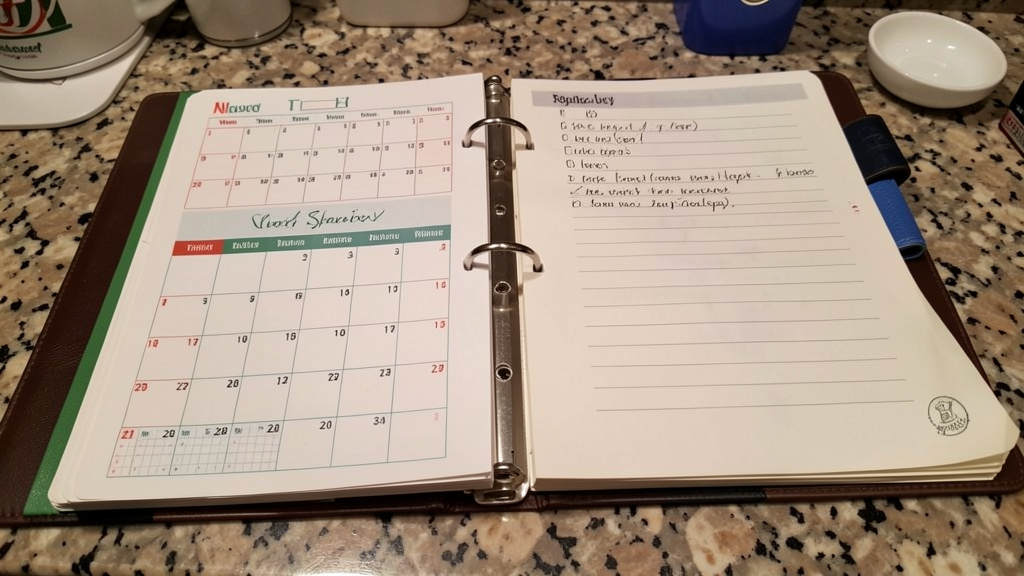
– Tool: A durable 3-ring binder with sheet protectors (spill-resistant). Use tab dividers: Critical Systems, Appliances, Exterior, Contacts, Documents.
– Entry Protocol: Keep a small notepad and pen clipped inside. Jot quick notes onsite (“Oct 26: HVAC service completed. Receipt filed.”). Transfer details during a weekly quiet moment. Insert receipts, business cards, or small printed photos directly.
– Pro Enhancement: Add a laminated “Quick Reference” page inside the front cover: Emergency shut-off locations (water/gas/electric), insurance contact, trusted contractor list. This transforms the log into a crisis-ready resource.
Why It Resonates: The physical act of writing and filing provides closure. For visual thinkers, color-coded tabs create intuitive spatial memory (“Roof notes are in the green section”).
Friction Points & Thoughtful Solutions:
– Friction: “I forget to write things down immediately.”
Solution: Place mini notepads in key locations: inside the electrical panel door (when safe), near the water heater, in the garage tool area. Transfer notes during a consistent weekly ritual.
– Friction: “Photos don’t integrate well.”
Solution: Use a compact portable printer for wallet-sized images. Label backs with date/location before inserting. Alternatively, write “Photo: Roof inspection 6/12” and store digital copies in a cloud folder mirroring your binder sections.
– Friction: “What if the log is damaged?”
Solution: Pair physical logs with selective digital backups for critical items (see Hybrid section). Store essential warranty documents in a fire-resistant container; log references to them.
The Digital Log: Searchable, Shareable, Flexible
Well-suited for: Tech-comfortable households, shared ownership situations, multi-property management, or data-oriented planners.
Implementation Approach:
– Tool Tier 1 (Simple): Spreadsheet apps (Google Sheets, Apple Numbers). Create sheets: Timeline, HVAC, Plumbing, Electrical, Appliances, Exterior, Contacts. Use consistent columns: Date, System, Action, Details, Next Due, Photo Link.
Template Tip: Freeze headers. Use conditional formatting to highlight upcoming dates.
– Tool Tier 2 (Structured): Flexible workspace apps (Notion, Airtable). Build linked databases where a “Contractor” entry connects to all related jobs. Embed photos. Set recurring reminders.
Workflow Idea: Create a dashboard view showing upcoming tasks and recent entries.
– Tool Tier 3 (Specialized): Home management applications. Evaluate carefully: Can you export your data easily? Is offline access available? Avoid systems that lock your information.
Why It Resonates: Digital logs leverage customization—systems you shape feel more personally valuable. Pairing logging with calendar reminders (“First Sunday: Review log”) creates reliable implementation cues.
Friction Points & Thoughtful Solutions:
– Friction: “I open the app but get distracted.”
Solution: Use voice-to-text. Say: “Add to Home Log: October 28, changed furnace filter, next due November 28.” Refine later. Reduce friction to under 15 seconds.
– Friction: “Others in my household won’t use the app.”
Solution: Designate a “Log Keeper” role with shared understanding. Or use a dedicated shared messaging thread only for log entries: “📸 Gutters cleaned. Debris: oak leaves. Next due spring.”
– Friction: “Privacy considerations.”
Solution: For cloud tools, enable two-factor authentication. Avoid storing highly sensitive personal identifiers. For heightened privacy, consider locally stored encrypted notes apps.
The Hybrid Log: The Resilient Integration
Well-suited for: Most households seeking balance between immediacy and durability.
Implementation Approach:
1. Capture Phase (Physical): Keep a compact journal (pocket-sized) in your workshop or kitchen. All maintenance notes begin here—scribbled during or right after work. Include simple sketches if helpful (“Leak location: near valve”).
2. Process Phase (Digital): During a brief weekly review (e.g., Sunday evening), transcribe journal entries into your digital master log. Attach phone photos. File physical receipts into the binder.
3. Archive Phase (Dual): Annually, print a summary of the digital log. Place it in the binder. Scan the entire binder and save to cloud storage and an external drive stored offsite.
Why Hybrid Works: It honors human behavior. The journal captures moments of action when motivation is highest. Digital processing adds searchability and structure. Physical archiving provides tangible records for transactions. This layered approach builds redundancy—critical for peace of mind.
Critical Hybrid Practice: Write the digital file name on physical items. Example: On a receipt, note “→ HVAC_Service_20241028” before filing. This creates reliable cross-referencing.
Format Selection Guide (Practical Questions)
Ask these questions to identify your best fit:
1. During an urgent situation, where would you instinctively look for shut-off info? (Binder by the phone? Phone contacts?)
2. Who else needs access? (Spouse traveling? Teen doing chores?)
3. What caused past systems to fail? (Forgot to log? Lost notes?)
4. What’s the impact if records are temporarily unavailable? (Primary residence? Rental property?)
Choose the vessel that minimizes friction for your routine. A simple physical log updated consistently delivers far more value than an elaborate digital system abandoned after two entries.
Pillar 3: The Ritual – Building a Sustainable Logging Habit
A log only delivers value when used. Pillar 3 embeds logging into existing routines using behavioral insights—not reliance on willpower. We design habit loops where logging feels natural and even rewarding.
The Trigger-Action-Reward Cycle (Applied)
Adapted for home stewardship:
– Cue (Trigger): Anchor logging to an existing, reliable habit.
Examples:
→ After paying monthly bills, spend two minutes logging recent maintenance.
→ While having morning coffee on the first Sunday of the month, review upcoming tasks.
→ Immediately after a service provider leaves, snap a photo and jot notes before moving to the next task.
– Routine (Action): Reduce the action to its smallest step.
Ineffective: “Update the entire log.”
Effective: “Open Notes app. Type: ‘Oct 28: Changed furnace filter. Next due Nov 28.’”
Pro Tip: Keep your logging tool where action happens. A QR code linking to your digital log taped inside the HVAC closet door eliminates app hunting.
– Reward (Reinforcement): Create immediate positive feedback.
Examples:
→ Check a physical “Completed” box.
→ Add a simple emoji (✅) to digital entries.
→ During your quarterly review, reflect: “This log helped me avoid a surprise issue this season.” Reframe logging as proactive care for your home and peace of mind.
The Two-Minute Rule for Momentum
If logging feels daunting, commit to just two minutes. Set a timer. In that window:
– Jot one recent repair
– File one receipt
– Set one reminder
Starting is often the hardest part. The timer reduces pressure (“I can stop after two minutes”), yet momentum frequently carries you further—a principle supported by habit formation research.
Inclusive Household Integration
- With Children: Create a “Helper Log.” After they test smoke alarms or wipe baseboards, let them add a sticker. “You helped keep our home safe!” Fosters early responsibility.
- With Partners: Co-design the system. “Which format feels easiest for you?” Assign complementary roles. Celebrate consistency: “Our log is six months strong—let’s review what we’ve protected.”
- With Tenants (for landlords): Provide a simple log template. Frame positively: “This helps maintain your comfort and avoids surprise fees.” Consider small incentives for documented preventative actions (e.g., filter changes).
Navigating Common Friction Points
- “I always forget until it’s too late.”
→ Solution: Place visual triggers. A small label on your HVAC filter: “LOG AFTER CHANGE.” Tie logging to seasonal cues: “When storing patio furniture, log deck inspection.” - “It feels like extra work after the repair.”
→ Solution: Bundle the tasks. Keep your log journal with your toolbox. Logging becomes the final step of the repair ritual—like putting tools away. Say aloud: “Repair complete. Log complete.” - “I get discouraged by gaps in the log.”
→ Solution: Embrace the “Fresh Start” approach. Research indicates people are more likely to restart habits after natural milestones (new month, season). Missed logging? Write: “LOG RESUMED: [Today’s Date].” No guilt. No backfilling. Forward motion only. - “I’m not the one performing maintenance.” (e.g., hired technician)
→ Solution: Prepare simple “Log Cards.” Give one to the technician: “Please note date, work done, parts used, and next recommended service.” Most professionals appreciate the clarity—and it standardizes information capture.
The Quarterly Review Ritual
Schedule 15–20 minutes near seasonal transitions (late March, June, September, December):
1. Scan recent entries. Acknowledge completed tasks.
2. Identify patterns: “Multiple notes near the master bath plumbing—schedule a full inspection.”
3. Update upcoming tasks in your calendar.
4. Archive photos and file receipts.
This transforms the log from passive record to active diagnostic partner—your home’s thoughtful check-in.
Pillar 4: The Integration – Weaving Your Log into Home Life
A standalone log has limited reach. Pillar 4 connects it to calendars, insurance protocols, resale preparation, and life transitions—multiplying its utility and ensuring longevity.
Syncing with Maintenance Calendars
Create a closed-loop system:
– Digital Sync: In your calendar app, create a “Home Care” calendar. For each logged service with a “Next Due” date, create a recurring event with alerts (“1 week before” prep reminder; “Day of” action reminder).
– Physical Sync: Use a wall calendar in a utility area. Mark service dates with colored markers. After completion, note completion in your log journal.
– Pro Integration: In flexible workspace apps, link log entries to calendar views. A “Due Soon” section auto-populates upcoming tasks. Log → Calendar → Action → Updated Log.
Warranty & Insurance Preparedness
Your log serves as a evidence repository. Maximize its utility:
– Warranty Support: When acquiring new systems or appliances, log key details:
Item: Dishwasher | Purchase Date: [Date] | Serial #: [Number] | Warranty Period: [Duration] | Proof: Receipt saved to /Warranties/
Set a calendar alert well before warranty expiration to review system performance.
– Insurance Documentation: After weather events or incidents, log methodically:
Date: [Date] | Event: [Brief description] | Action: Inspected [areas]. Photos saved to /Insurance/[Event]_[Date]. Observations: [Notes].
This timestamped, photo-supported record demonstrates due diligence. Thorough documentation can streamline claim discussions by providing clear context.
– Claim Readiness Kit: Maintain a dedicated section titled “Insurance Reference.” Include:
→ Current policy declaration page (copy)
→ Inventory of high-value items (with photos)
→ Emergency contacts (agent, restoration service)
→ Simple incident report template
During stressful times, this organized package conveys preparedness and supports efficient resolution.
Resale Preparation and Buyer Confidence
A well-maintained log quietly reinforces care. Prepare strategically:
– Months Before Listing: Compile a concise “Home Care Summary”:
→ Timeline of major services (roof, HVAC, etc.)
→ Highlights: “Annual chimney inspections since [Year]”
→ Note: “Full maintenance history available upon request”
– During Showings: Place the physical binder open to the summary page on the kitchen counter.
– Buyer Perspective: Documented care addresses unspoken concerns. Real estate professionals observe that comprehensive logs can reduce inspection-related negotiation friction by providing transparent history. It answers the silent question: “Has this home been thoughtfully maintained?”
Legacy and Transition Planning
Extend your log’s purpose across ownership phases:
– For Future Owners/Heirs: Include a brief “Home Notes” page:
“This log reflects our care for this home. The repaired step on the porch holds family memories. Keys to hidden shut-offs and paint codes are noted here.”
Attach practical details: shut-off locations, paint codes, stories behind renovations.
– During Moves: When selling, offer the log (with personal details redacted) as a goodwill gesture. When buying, request the seller’s log—it’s a valuable due diligence resource. If none exists, begin yours with a “Day 1 Inspection” entry.
– For Aging in Place: Log accessibility modifications (grab bars, ramps) with dates and details. This documentation supports future caregivers or insurance considerations.
Long-Term Preservation Protocol
Ensure your log remains accessible across technology shifts:
1. Annual Export: Each December, export digital logs to PDF. Name clearly: HomeLog_[StreetName]_YYYY.pdf.
2. Redundancy: Save copies to:
→ Cloud storage
→ External drive (stored offsite)
→ Printed annual summary (in physical binder)
3. Format Awareness: Prefer open formats (PDF, CSV) over proprietary systems. Verify export functionality regularly. Plain text ensures future readability.
Special Scenarios: Adapting the Framework to Your Context
Rigid systems fail. Adapt the Pillar Framework thoughtfully to these common situations.
The Rental Property Manager’s Log
Unique Needs: Legal clarity, tenant communication, multi-unit efficiency.
– Structure: Master log per property; sub-sections per unit. Essential fields: Tenant name, move-in/move-out dates, inspection notes.
– Critical Entries:
→ Move-In: “Unit 2B: Tenant moved in [Date]. Signed condition report attached. Noted existing scratch on dining table.”
→ Maintenance Request: “[Date]: Tenant reported faucet issue. Repaired [Date] by [Professional]. Photo of repair shared with tenant.”
→ Move-Out: “Move-out inspection completed [Date]. Security deposit itemization documented. Full refund processed [Date].”
– Legal Safeguard: Log all communication regarding repairs. “Email to tenant [Date]: ‘Repair completed.’ Tenant reply [Date]: ‘Confirmed.’” Creates a clear, auditable trail.
– Tool Tip: For small portfolios, a shared spreadsheet with tenant view-only access builds transparency. For larger portfolios, property management software with export capabilities offers structure.
The Historic Home Steward’s Log
Unique Needs: Preservation integrity, material authenticity, documentation for historical review.
– Enhanced Entries: Go beyond “repaired window.” Log:
Date: [Date] | Item: East parlor window (original) | Action: Reglazed using traditional materials. Original glass preserved. | Craftsman: [Name] | Materials: [Type] putty, historic glass | Photos: Before/during/after
– Material Archive: Attach tiny, labeled samples (wood shard, paint chip under tape) to log pages. Future stewards will reference this.
– Grant Readiness: Many preservation grants require detailed maintenance records. Structure logs to align with common reporting needs—dates, costs, craftspeople, materials. Routine logging becomes future funding preparation.
– Consultant Notes: Log advice from preservation specialists: “Consulted with preservation office [Date]: Recommended lime-based mortar for chimney work.”
The Smart Home Integrator’s Log
Unique Needs: Device lifecycle tracking, firmware history, network context.
– Device Registry: Log each smart device:
Device: Smart Thermostat | Install Date: [Date] | Location: Hallway | Firmware: [Version] (Updated [Date]) | Network: [Details] | Notes: Paired with voice assistant. Battery backup tested [Date].
– Critical Entries:
→ Firmware Updates: “[Date]: Updated security cameras. Resolved motion detection delay.”
→ Network Changes: “[Date]: Replaced router. Reconnected devices. Updated port settings for security system.”
→ Issue Resolution: “[Date]: Garage sensor offline. Replaced battery. Logged replacement date for next cycle.”
– Security Practice: Never log passwords. Instead: “Network password updated [Date]. Stored in secure password manager.” Reference the location.
– Tool Synergy: Periodically generate a simple device map. Attach to log annually to aid troubleshooting.
The New Homeowner’s Starter Log
Unique Needs: Building confidence, establishing baselines, learning systems.
– Phase 1 (First 30 Days): Focus on discovery:
→ Week 1: Locate and log all emergency shut-offs. Take photos. Label clearly in log.
→ Week 2: Gather existing documents. Log warranty end dates for major systems. Note contractor contacts from closing paperwork.
→ Week 3: Perform one basic maintenance task. Log: “Changed HVAC filter. Next due: [Date].”
→ Week 4: Schedule first professional service (e.g., HVAC tune-up). Log appointment.
– Mindset Shift: Your log begins now. Past history isn’t required. Today’s entry is your new baseline. Write: “LOG INITIATED: [Today’s Date]. First entry: Located water shut-off valve.” This is powerful progress.
– Template Starter: Begin with a simple “Home Basics” section:
ADDRESS: [Your Address]

  KEY SYSTEMS:

  - Roof: [Type, Approx. Age if known]

  - HVAC: [Type, Approx. Age]

  - Water Heater: [Type, Approx. Age]

  EMERGENCY CONTACTS:

  - Insurance Agent: [Name, Phone]

  - Preferred Plumber: [Name, Phone]
Fill gaps gradually. Progress, not perfection.
The Minimalist / Low-Tech Household’s Log
Unique Needs: Simplicity, physical reliability, zero digital dependency.
– Tool: A single durable notebook (A5 size). Number every page.
– System:
→ Page 1: Table of Contents (update as you go)
→ Page 2: Emergency Contacts & Shut-Off Locations (simple hand-drawn sketch)
→ Page 3+: Chronological entries only. No complex categories.
Example:
2024-10-28 | HVAC | Changed filter. Next due: 2024-11-28
2024-11-05 | Kitchen | Fixed faucet handle.
– Photo Integration: Write: “Photo saved on phone: ‘Faucet_Repair_20241105’.” Trust your ability to locate it. Or add a simple sketch.
– Backup: Annually, photocopy the notebook. Store the copy with a trusted relative. Low-tech, high-resilience.
Your Maintenance Log in Action: Illustrative Entry Examples
Theory becomes practical through examples. Below are annotated entries demonstrating Pillar integration. Notice the specificity, context, and forward-looking details—adapt these templates to your voice.
Example 1: HVAC Professional Service (Digital Log Entry)
DATE: October 26, 2024
SYSTEM: HVAC
ACTION: Annual Fall Service
TECHNICIAN: Licensed HVAC Professional
DETAILS:
- Replaced air filter
- Checked refrigerant levels and system pressures
- Cleaned condenser coils; noted normal debris level
- Tested electrical components
- Inspected ductwork access point: no concerns observed
- Calibrated thermostat
- Lubricated moving parts
NEXT DUE: Spring service April 15, 2025
COST: $149.00 (Receipt saved to /HVAC/Service_20241026.pdf)
PHOTOS: Attached (condenser unit, filter location, technician credential)
NOTES: Technician noted system is operating efficiently. Recommended monitoring airflow during extended high-heat periods next summer. Added reminder to check filter monthly during peak season.
Why this works: Captures essential details for future reference, validates professional service, links to evidence, and adds predictive insight (“monitor airflow”). The “Notes” section transforms a transaction into ongoing intelligence.
Example 2: DIY Gutter Cleaning (Physical Log Journal Entry)
[Handwritten in pocket journal]
Oct 30 '24 | Gutters (Front & South Side)

- Cleaned after seasonal leaf fall. Used ladder and hose flush.

- Debris: Primarily leaves, minimal granules (positive roof indicator)

- Downspouts: Flowing clearly. Extended splash block slightly from foundation.

- Noted: Small crack in east downspout elbow. Ordered replacement part. Will repair Nov 5.

- Photo taken: "Gutters_Clean_20241030"

NEXT: Reinspect after first heavy rain. Full clean spring 2025.
[Later transferred to digital log with photo reference]
Why this works: Includes observational details (“minimal granules” suggests roof condition), documents a follow-up task clearly, and uses immediate capture to avoid forgetting.
Example 3: Rental Property Repair (Hybrid Log)
DATE: November 3, 2024

PROPERTY: [Address], Unit B

TENANT: David C.

REQUEST: "Bathroom faucet dripping."

ACTION:

- Nov 3: Contacted tenant. Scheduled repair for Nov 4.

- Nov 4: Qualified handyman replaced internal component ($35).

- Photo of repair shared with tenant via email.

- Tenant confirmed resolution Nov 4: "Fixed perfectly, thank you!"

DOCUMENTS: Work order filed. Email thread saved to /Rentals/[Address]/Repairs.

NEXT: Add this component type to 2-year preventative check schedule.
Why this works: Creates a clear paper trail, demonstrates responsive management, and converts a reactive fix into proactive planning (“add to preventative schedule”).
Example 4: Post-Storm Documentation (Insurance Preparedness)
DATE: August 14, 2024

EVENT: Severe Thunderstorm (Local reports: high winds, hail)

ACTION:

- 3:15 PM: Walked property perimeter.

- ROOF: No visible damage from ground inspection.

- GUTTERS: Cleared minor debris (twigs).

- WINDOWS: All intact. Checked seals—dry.

- YARD: Branch down in backyard (not on structure).

- PHOTOS: 12 images saved to /Insurance/Storm_20240814 (timestamped)

- NOTE: Neighbor observed inspection at approximately 3:30 PM.

NEXT: Monitor roof for any signs after next rainfall. Schedule professional roof inspection if any concerns arise.
Why this works: Timestamped, photo-documented, and notes independent observation. This demonstrates due diligence before any potential issue manifests. The “NEXT” step shows ongoing vigilance.
Example 5: Appliance Service Under Warranty (Value Protection)
DATE: September 18, 2024

ITEM: Refrigerator (Purchase Date: June 10, 2022; Warranty: 10 years on sealed system)

ACTION: Service call for ice maker concern

TECHNICIAN: Manufacturer-Authorized Service Provider (Ticket #[Number])

DETAILS:

- Diagnosed and replaced ice maker assembly under warranty.

- Tested: Ice production normal post-repair.

- Technician note: "Unit otherwise in excellent condition. Recommend annual condenser coil cleaning."

DOCUMENTS: Service report saved to /Appliances/Refrigerator_Service_20240918.pdf

NEXT: Schedule coil cleaning April 2025. Log reminder.
Why this works: Explicitly connects service to warranty terms, captures technician’s professional assessment, and converts advice into actionable future tasks. This entry supports potential future warranty discussions.
Your Questions, Answered
Homeowners consistently face these nuanced questions. Answers integrate practicality, adaptability, and real-world constraints.
Q: How detailed should entries be? I worry about spending more time logging than maintaining.
A: Aim for the “Goldilocks Detail”: enough for future-you to understand what, why, and what’s next, without burden. Use the 30-second rule: Could you dictate this while walking away from the task? If yes, it’s sufficient. Example: “Oct 28: Changed furnace filter. Next due Nov 28.” delivers immense value with minimal effort. Save deep diagnostics for major repairs or recurring issues. Remember: A slightly imperfect log used consistently is infinitely more valuable than a “perfect” log abandoned after one entry.
Q: What if I inherit a home with zero maintenance history? Where do I even start?
A: Begin with a “Baseline Assessment,” releasing any guilt about the past. Dedicate a few hours to:
1. Locate and document all emergency shut-offs with photos.
2. Gather any existing paperwork (manuals, prior reports).
3. Perform one critical preventative task (e.g., change HVAC filter, test GFCI outlets) and log it as “BASELINE ESTABLISHED: [Date].”
4. Schedule professional inspections for major systems within the next few months. Log those appointments.
Your first entry is the most important: “LOG INITIATED: [Today]. First action: [Simple task].” This creates momentum. You’re not documenting history—you’re building a future-proof foundation starting now.
Q: Are digital logs secure? Should I worry about privacy?
A: Privacy is manageable with thoughtful habits. Never store highly sensitive data (full SSN, banking details) in your log. For cloud-based logs:
– Use strong passwords and two-factor authentication where available
– Use neutral file names (e.g., “Property_Maintenance_2024”)
– Review app permissions; export and delete data from services you discontinue
– For heightened privacy, use locally stored encrypted notes apps
Physical logs avoid digital concerns but require protection from physical damage. Hybrid systems mitigate multiple risks: sensitive details stay physical; routine logs live digitally. Assess your personal comfort—most homeowners face greater practical risk from not having a log (during insurance discussions or repeated repairs) than from digital exposure.
Q: My spouse/partner isn’t interested in the log. How do I encourage participation?
A: Shift from “You should log” to “How can this serve you?” Identify their priorities:
– If they dislike contractor calls: “This log has all contact info and past notes—no digging through emails.”
– If they monitor household costs: “Logging small fixes helps prevent larger expenses. See how the gutter cleaning last spring avoided potential water issues?”
– If they think about resale: “This log demonstrates care, which can support smoother future transactions.”
Start small: Ask them to log one thing they manage (e.g., “Just note when you change the pool filter”). Acknowledge their contribution. Design the system together—choose the tool collaboratively. Frame it as shared stewardship: “We’re building our home’s care record together.” Resistance often softens when the log solves their specific frustrations.
Q: Do I need to log every single filter change? Isn’t that excessive?
A: For critical systems (HVAC, whole-house water filter), consistent logging provides meaningful data:
– Patterns reveal hidden context (e.g., filters needing change more frequently may indicate environmental factors)
– Supports warranty requirements for some systems
– Establishes baselines for system health
Streamline the process: Keep a pre-printed sticky note near the filter: “CHANGED: __. NEXT DUE: ____.” Or use a voice command. The brief time invested supports system longevity. For less critical items (e.g., refrigerator water filter), logging the replacement date and next due is sufficient—no need for excessive detail.
Q: What’s the most common pitfall with maintenance logs?
A: Waiting for a “perfect system” before starting. Analysis paralysis prevents more logs from beginning than inconsistency prevents them from continuing. The second most common pitfall: logging only repairs, not preventative actions. This creates a skewed record focused on problems rather than care. Reframe your perspective: Celebrate preventative entries. “October 1: Gutters cleaned. Home prepared for season!” This positions logging as proactive stewardship, not reactive record-keeping. Start today with one entry. Imperfect action builds lasting habits.
Q: How do I log systems I’m unfamiliar with (like a septic system)?
A: Your log becomes a learning companion. When a professional services the system:
1. Ask two simple questions: “What did you check?” and “What should I watch for between services?”
2. Log their answers plainly: “Tech noted: Pumped system. Sludge level acceptable. Watch for: Slow drains, soggy yard near field.”
3. Attach their report. Note next service date prominently.
Over time, your log accumulates plain-language knowledge. You’ll learn relevant terms through context. The log isn’t about your expertise—it’s about capturing others’ expertise for your future reference. This turns intimidating systems into manageable knowledge.
Q: Can a maintenance log genuinely influence resale?
A: Yes—and real estate professionals frequently observe its impact. Comprehensive logs:
– Reduce buyer anxiety during inspections by demonstrating proactive care
– Shorten negotiation periods by providing transparent history
– Support the narrative of a well-maintained property
Agents note that logs help answer unspoken buyer questions: “Was the roof inspected after that storm?” “Has the furnace been serviced regularly?” One agent shared: “A buyer spent significant time reviewing a 10-year log. He said, ‘This gives me confidence in the home’s condition.’ He proceeded with fewer contingencies.” Your log transforms perceived uncertainty into verified care.
Q: What if I fall behind and have months of unlogged maintenance? Should I backfill?
A: Avoid backfilling. Behavioral research indicates that attempting to “catch up” often creates overwhelm, leading to abandonment. Instead:
1. Acknowledge the gap neutrally: “Log paused June–October 2024.”
2. Resume today with a fresh entry: “LOG RESUMED: November 5, 2024. Changed HVAC filter.”
3. Add a brief note: “Major services during gap: [List 1–2 critical items recalled, e.g., ‘Roof inspected August 2024’].”
This honors reality while restarting momentum. Future-you will value consistent logging from November onward far more than a stressful, potentially inaccurate reconstruction of the past. Progress, not perfection.
Q: Are there legal considerations for maintenance logs (especially rentals)?
A: Requirements vary by location, but core principles apply widely:
– Rentals: Many areas require landlords to document repairs requested by tenants, particularly for habitability items (heat, water, structural safety). Logs serve as evidence of timely response. Always verify local landlord-tenant laws.
– Safety Systems: Documenting annual inspections of smoke alarms, carbon monoxide detectors, and chimneys may be required in some regions.
– Best Practice: Regardless of legal mandates, maintain logs for all safety-related systems. In liability discussions, documented maintenance demonstrates reasonable care. Consult a local property attorney for jurisdiction-specific guidance, but err on the side of thorough, factual documentation. When uncertain, log it.
Q: How can I make logging feel less like a chore?
A: Engineer small rewards and reframe the narrative:
– Visual Progress: Use a habit tracker. Color a calendar square after logging. Protect the chain!
– Quarterly Ritual: Pair log review with a small pleasure (favorite tea, quiet moment). Reflect: “Look how much we protected this quarter!”
– Future Self Connection: After logging, pause and think: “Thank you, future me, for having this record when you need it.” Builds emotional resonance.
– Celebrate Milestones: “One year of logging!” warrants acknowledgment. Review how the log prevented issues or saved time.
Remember: You’re not just recording tasks—you’re documenting your commitment to your home and household’s well-being. That intention carries inherent meaning.
Conclusion: Your Home’s Living History Begins Now
You now hold a complete, adaptable system—not merely a logging method, but a philosophy of proactive home stewardship. The Pillar Framework transforms maintenance from reactive obligation into strategic practice that builds confidence, reduces uncertainty, and deepens your connection to your home. Recall the core pillars:
– Foundation: Track only what meaningfully impacts safety, function, or value. Strategic selectivity ensures sustainability.
– Vessel: Choose the format aligned with your habits and household. Hybrid approaches offer resilient flexibility.
– Ritual: Embed logging into existing routines using triggers, micro-actions, and meaningful reinforcement.
– Integration: Weave your log into calendars, insurance protocols, and life transitions to amplify its utility.
This journey isn’t about archival perfection. It’s about cultivating a living document that grows wiser with each entry. That note about the replaced faucet component? It will save future-you time and uncertainty. The photo of the clean gutter? It will provide clarity during a future discussion. The documented filter change? It supports system longevity. These small acts of documentation are quiet expressions of care—for your home, your resources, and your peace of mind.
The 24-Hour Rule
Within the next 24 hours, complete one tiny action that launches or renews your system:
→ Starting fresh: Open a notebook or digital document. Write: “LOG INITIATED: [Today’s Date]. First action: Located water shut-off valve.” Take a photo. You’ve begun.
→ Restarting: Open your existing log. Write: “LOG RESUMED: [Today’s Date].” Log one recent maintenance task—anything. Changed a lightbulb? Log it. Momentum is everything.
→ Optimizing: Spend 10 minutes adding “Next Due” dates to three past entries. Set calendar reminders. Close the loop.
Do not wait for Monday. Do not wait for “more time.” The cumulative value of documentation begins with a single, intentional entry. Your future self is waiting for this gift of clarity.
The Big Picture
Your home is more than structure and systems. It’s where memories unfold, families grow, and moments of peace are found. A maintenance log honors that truth. It’s a testament to your commitment—to preserving not just materials, but the sanctuary they create. In a culture of disposability, this practice is a meaningful act of legacy. You are building a record of care that may one day guide future stewards, reassure a new owner, or simply remind you: I showed up for this place. I protected what matters.
Start today. Log one thing. Then do it again tomorrow. Your home’s story of care is waiting to be written—and you hold the pen.
Explore Our Complete System:
The Homeowner’s Preventative Maintenance Calendar | Decoding Contractor Estimates: A Room-by-Room Guide | Building Your Emergency Home Repair Kit | The Smart Homeowner’s Guide to Warranty Documentation | Preserving Character: Maintenance Tips for Historic Homes | Rental Property Management: From Move-In to Move-Out | DIY Repair Confidence: When to Call a Pro vs. Tackle It Yourself